
Scheduling takes hours
Build the week in minutes
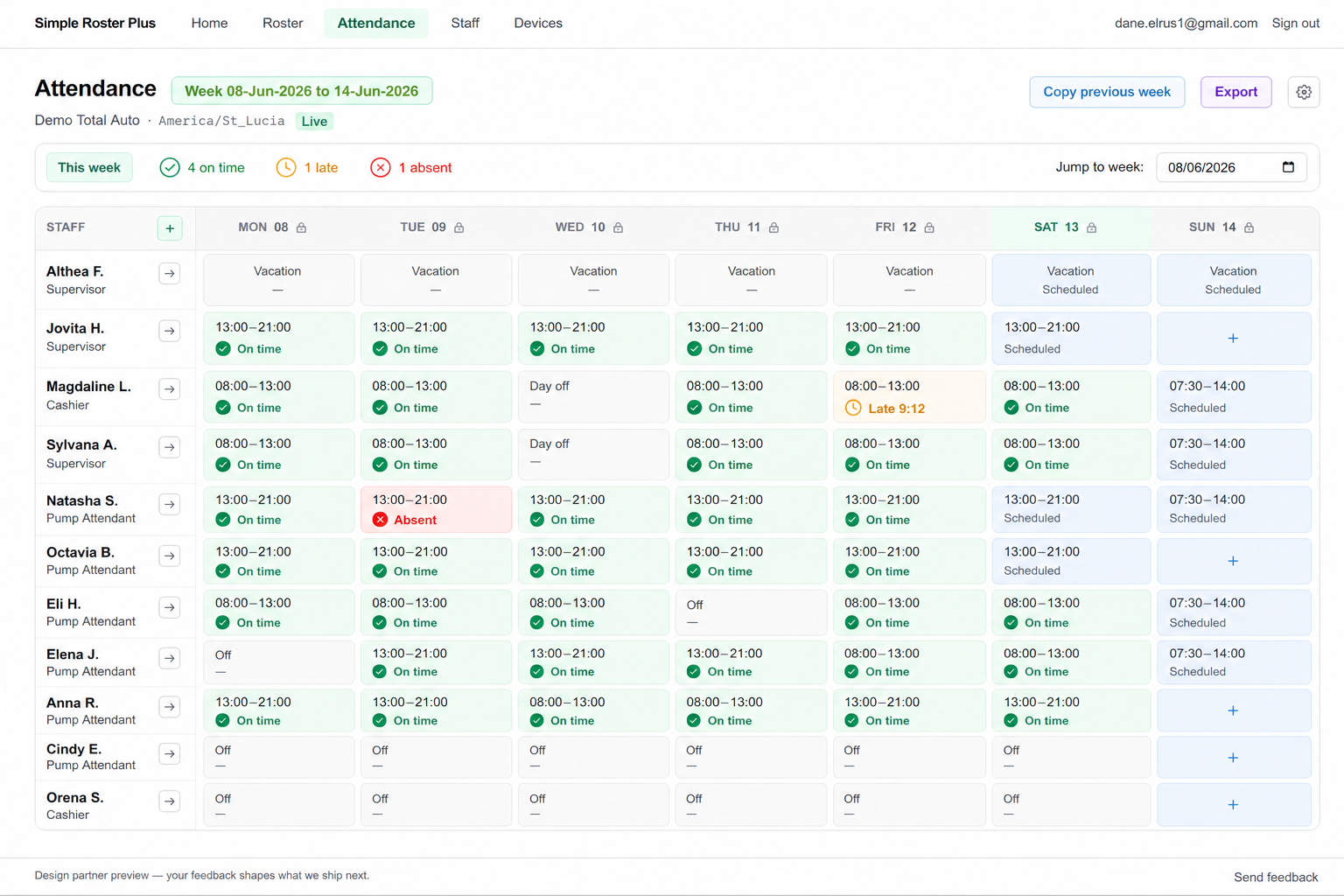
Copy last week and adjust shifts in minutes—so you're not starting from zero every Monday. Auto Scheduler gap-fills are on the way.
One quick weekly loop
Simple Roster Plus gives shift managers one place to publish the week's roster and see who was scheduled, who clocked in, and who needs attention—without payroll bloat or HR-suite noise.
Built for shift-based teams in
Rostering in a spreadsheet and checking attendance somewhere else eats your Monday. Here's what changes.
Scheduling takes hours
Copy last week and adjust shifts in minutes—so you're not starting from zero every Monday. Auto Scheduler gap-fills are on the way.
One quick weekly loop
Late arrivals surface too late
Planned shifts sit next to real clock-ins—on time, late, or missing—so exceptions stand out while you can still act.
Plan vs. actual at a glance
Two tools, twice the work
Schedule and attendance live together—no spreadsheet, no group chat, no retyping hours into a second system.
One clear manager view
No feature tour required. Simple Roster Plus keeps managers in one lightweight flow.
Start from last week and shape the roster in a few clicks. Publish a share link or print view for your team today.
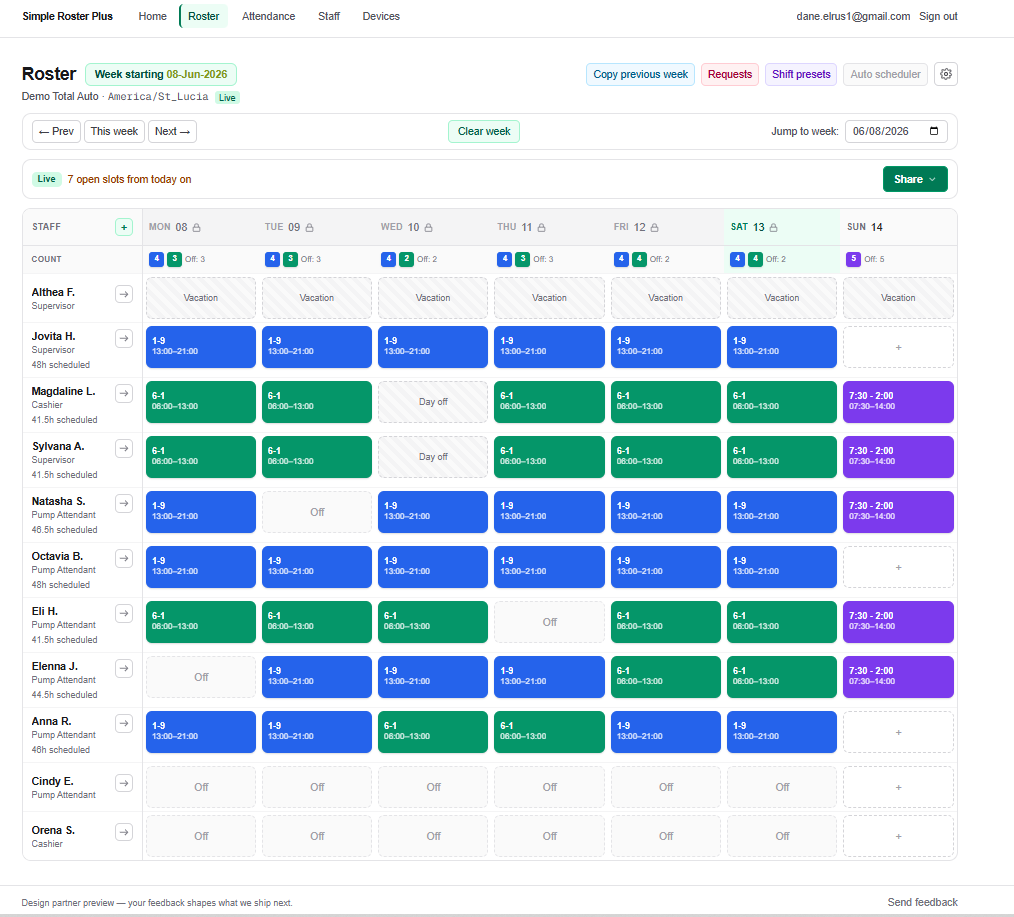
Watch clock-ins land against the plan. On time, late, and absent are color-coded so you catch problems during the shift—not days later.
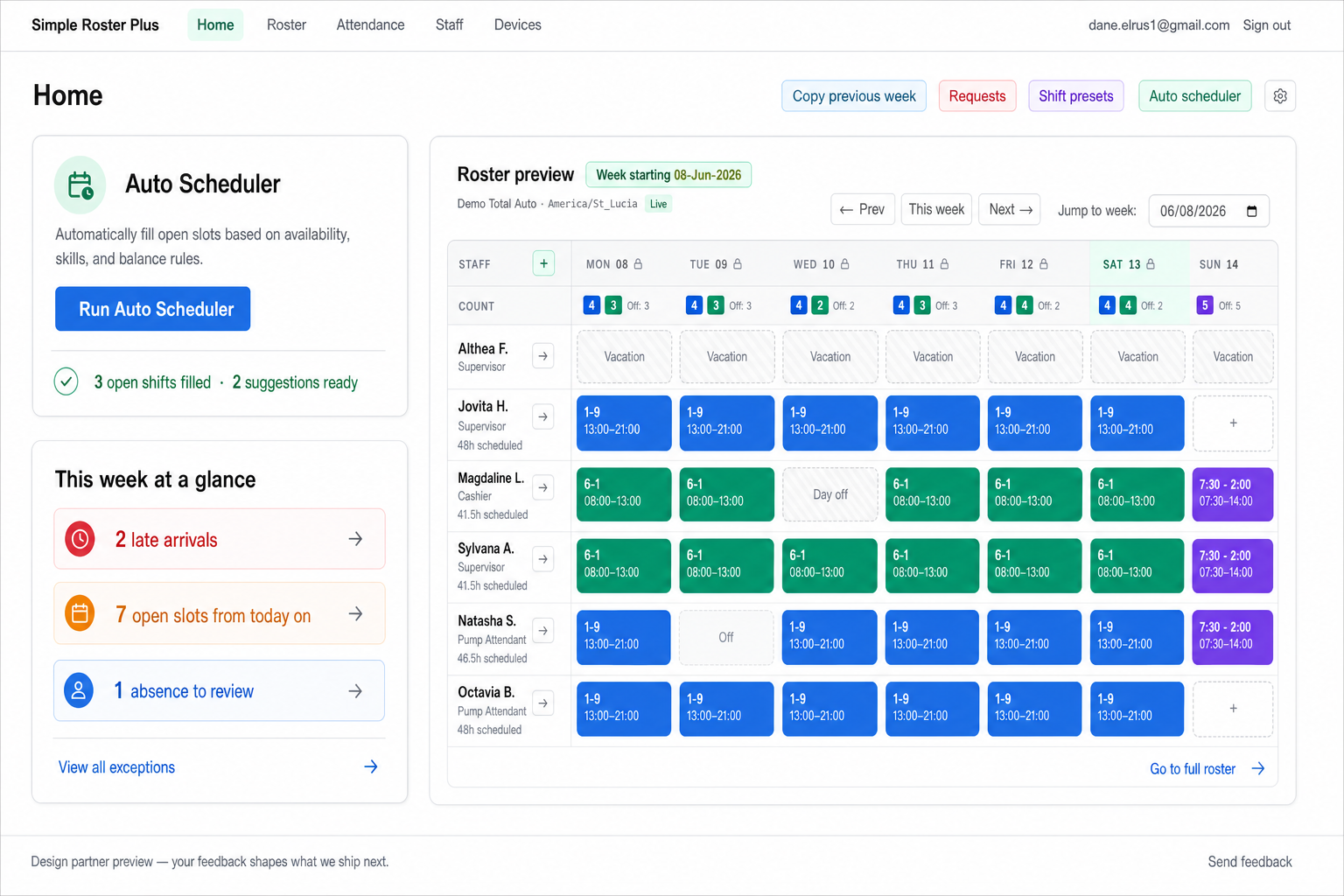
We're building smart shift suggestions on top of the weekly summary you already get—so gaps and repeats take less clicking, without enterprise bloat.
Most managers are scheduling within minutes—not days of configuration.
Staff, roles, and how they clock in. Light setup, no heavy HR onboarding.
Create or tweak shifts in minutes—copy last week and adjust coverage counts.
See clock-ins against the plan so late and missing shifts stand out early.
Scan exceptions, adjust, and export hours in a few clicks.
Same weekly job—far less of your time.
Free for up to 10 staff. Try your clock free for 30 days. No annual contract required.
$0 / mo
Start scheduling with a small team—no credit card.
$19.99 / mo
Monthly, cancel anytime. Or $199/yr (~2 months free).
$49.99 / mo
For larger, multi-site teams. Or $499/yr (~2 months free).
Add extra devices for +$5/mo each and extra admins for +$2/mo each. Roster and attendance only—no payroll or enterprise HR bundles. Auto Scheduler and SMS roster publish are marked coming soon until they ship in the app.
Short answers before you start.
Managers at shift-based small businesses who need to publish a weekly schedule and track attendance without a bloated HR system. If you want payroll, hiring, and benefits in one suite, this isn't that—and that's intentional.
Publish the week in the app, then copy the share link or print the roster—drop it in your existing WhatsApp or SMS group today. Automated SMS roster publish is coming soon.
Auto Scheduler is coming soon. Today you get a weekly exception summary on Home and can copy last week on the roster. When Auto Scheduler ships, it will suggest shift fills and speed up the repetitive parts—so you spend less time clicking and more time running the floor.
We keep onboarding light: add your team, set how clock-ins work, and build your first week. Most managers are scheduling within minutes, not days.
Yes—many teams use terminals (including ZKTeco) alongside the app. The goal is one clear manager view of plan vs. actual, not another disconnected spreadsheet.
No. Simple Roster Plus is for weekly scheduling and attendance. You can export hours for whoever runs payroll; we don't process pay or file taxes.
Free covers up to 10 staff and a 30-day device sync trial. Plus is $19.99/month (or $199/year) for up to 50 staff and live attendance. Pro is $49.99/month for up to 100 staff with more devices and admins. Publish today via share link or print; SMS roster publish and Auto Scheduler are coming soon. See pricing for details.
Create your account in minutes, or send a note if you want help with multi-site setup or device onboarding.
Ready to go? Start free for up to 10 staff—no credit card. Or explore a guided demo first.
Free for up to 10 staff. Try your clock free for 30 days. Then $19.99/month for Plus—up to 50 staff, live attendance, one device included. Share rosters via link or print today; SMS and Auto Scheduler coming soon. No annual contract required.
Already have an account? Log in. Prefer email? hello@simplerosterplus.com
Start free for up to 10 staff. Build this week's roster and see plan vs. actual in minutes—not another spreadsheet Sunday.
Already have an account? Log in · Questions? hello@simplerosterplus.com